Casino
  Live Casino
  Sports
  Search
  Profile
Fortune Play Casino Login and Sign Up
FortunePlay website offers a 3-minute registration with only basic info like password, email and phone number. To set up a profile, Australian players must be at least 18 years old and reside in a country where online gambling is legal.
Read about the exact steps for account FortunePlay registration, logging in, mobile access, identity verification, bonus activation (A$5,000 + 300 free spins for new Australian players), account closure and the primary terms of service.
FortunePlay Sign Up Process
To create an account, you must fill out the registration form with your personal and location details. Here are the instructions:
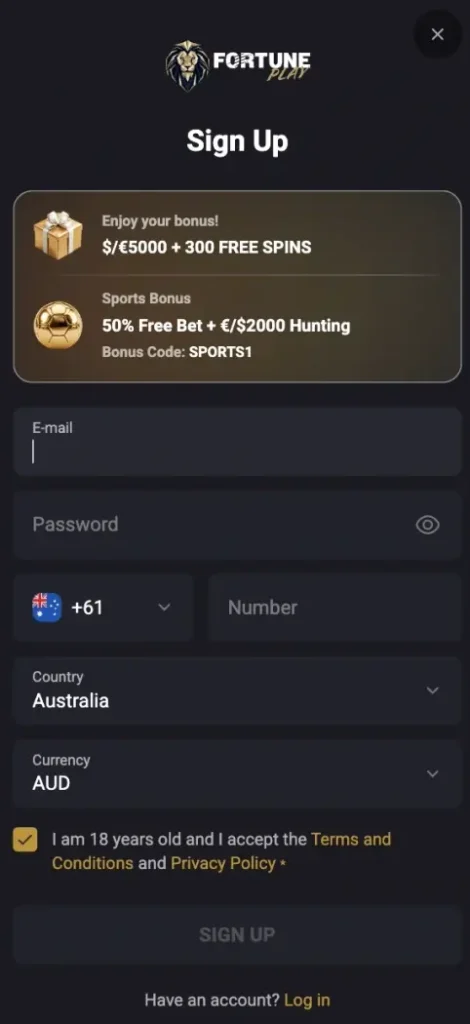
- Find the FortunePlay Registration Form: Click the gold “SIGN UP” button located in the top-right corner of the website interface.
- Provide Your Details: Type your email address, come up with a secure password, choose your country and currency and enter a phone number.
- Enter a Promo Code: If you have a bonus code, type it in the “Redeem a bonus code” section.
- Accept the Terms: Click the checkbox to confirm that you are at least 18 years old and that you accept the T&C and Privacy Policy.
- Finish the Registration: Click the final “SIGN UP” button at the bottom of the pop-up window. Your account is now ready.
Fortune Play Casino Login Process
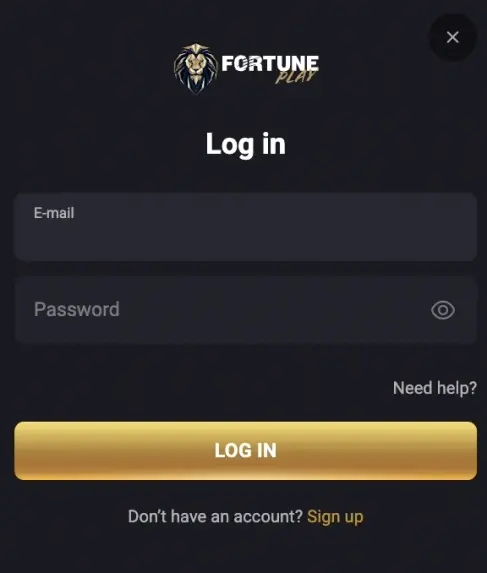
Logging in only requires your email and password. That’s how you do it:
- Open the Sign-In Form: Click the gray “LOG IN” button at the top right of the screen.
- Enter Your Email: Type your email address into the top field.
- Enter Your Password: Type your account passcode into the FortunePlay login field.
- Submit the Details: Click the gold “LOG IN” button inside the window to enter your account.
If you forgot your password, click the “Need help?” link to get a new one.
How to Register and Log in by Mobile App?
FortunePlay offers a Progressive Web App (PWA) for mobile users. If you don’t have the application installed on your home screen yet, you can add it by opening the official website in your mobile browser, accessing the browser menu (Chrome) or the Share button (Safari) and selecting “Add to Home Screen” or “Install App”. Alternatively, you can simplify the process by clicking the “Download App” button on the website.
If you already have the PWA icon on your phone, use these steps to log in or sign up to your account:
- Open the App: Tap the casino icon on your mobile home screen to launch the platform.
- Register: Tap the “SIGN UP” button at the top of the page if you need to create a new account.
- Enter the Info: Type in your email, create a password, add your phone number, select your country and pick your currency.
- Submit the Details: Check the box confirming you are 18+ and click the “SIGN UP” button to complete the process.
- Log In to Your Existing Profile: Tap the login button at the top of the page if you already have a profile.
- Submit Login Credentials: Type your registered email address and password into the fields, then tap the gold “LOG IN” button to enter your account.
FortunePlay Verification
FortunePlay requires all players to verify their identity before they can process withdrawals. The support team checks uploaded documents within 72 hours. All files must be uploaded through the user’s personal profile. Make sure all document details match your account registration info exactly to avoid delays or profile closure.
| Document Type | Formats | Requirements |
|---|---|---|
| Identity (Passport or ID Card) | PDF, GIF, JPEG, JPG, BMP, PNG, TIF | A clear image showing your full name, date of birth and the entire document. |
| Proof of Address (Utility Bill, Bank Statement) | PDF, GIF, JPEG, JPG, BMP, PNG, TIF | A recent document displaying your full name (which you entered during sign up) and residential address. |
| Payment Method (Bank Card, E-wallet Screenshot) | PDF, GIF, JPEG, JPG, BMP, PNG, TIF | Must show the player’s name. Cover the middle digits of your card number and the CVV code. |
Be prepared to answer your phone or participate in a video call if requested, as casino managers may use these methods to complete the KYC procedure.
FortunePlay Sign Up Bonus Activation
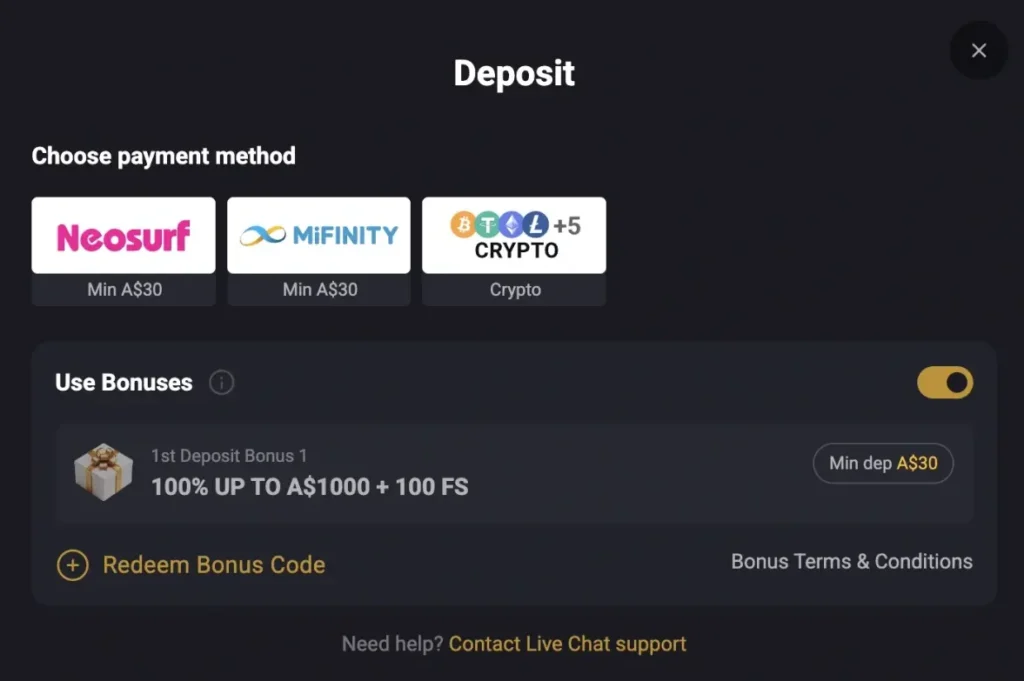
New players can claim a welcome package that includes up to A$5,000 + 300 FS. This package is split across your 4 deposits. That’s how you get the reward:
- Check the Minimum Deposit: Deposit at least A$20 to qualify for any welcome bonus. You can find wagering info right after registration.
- Activate the Offer: Make your first deposit to get a 100% bonus up to A$1,000 and 100 FS.
- Wait for the Bonus: Open the profile balance and wait for the bonus to be credited.
How to Delete Your Account?
Account closure can only be done by contacting the customer support team. You cannot delete it by yourself, even right after sign up.
- Send a request using your registered email address to the casino support address.
- Alternatively, contact a support agent directly through the live chat.
- Withdraw your winnings before leaving the operator.
A support manager may offer you a temporary profile restriction if you have gambling problems. If that’s not the case, insist on profile deletion.
Registration Terms and Conditions
By becoming a casino member, you must follow these main rules:
- You must be at least 18 years old to create an account and undergo verification.
- You can only have one profile. If you create duplicate accounts, FortunePlay will close them and take away your winnings.
- You have to bet the amount of your deposit at least 1 time before you can take your money out.
- Standard players can withdraw up to A$3,000 per week and A$15,000 per month. Progressive jackpots are paid out completely in one go.
- You must bet your welcome bonus and free spin winnings 40 times before you can withdraw them.
- All bonuses have their own expiration periods, which you should check on the promotion page right after FortunePlay Casino sign up.
- If you do not log in for 12 months in a row, the casino will mark your profile as inactive and take an A$25 fee every month until your balance is at zero.